2.4.5. Post Installation
Post-Installation Sanity Check
A quick way to check that the database is running, is to point a browser to the http port. The following example URLs will show the System Manager for the default, and the demo Virtuoso databases:
http://example.com
http://example.com
http://a_virtuoso_server.org:8890
Troubleshooting DB Startup Failures
Install failure
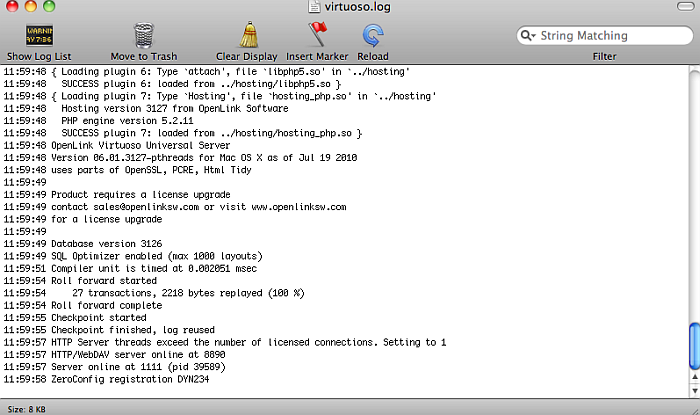
Check the .log file in oplmgr (License Manager) location:
/Library/Application Support/openlink/bin/, which is for
the database and log files etc. in order to review the installed files
binaries and databases (defaults) for issues if install fails.
Figure 2.52. The .log file
.lck existence
Check .log in case of .lck issue
Delete the .lck file and repeat the steps from above.
.trx incompatibility issue
Check .log in case of .trx incompatibility issue
oplmgr issue
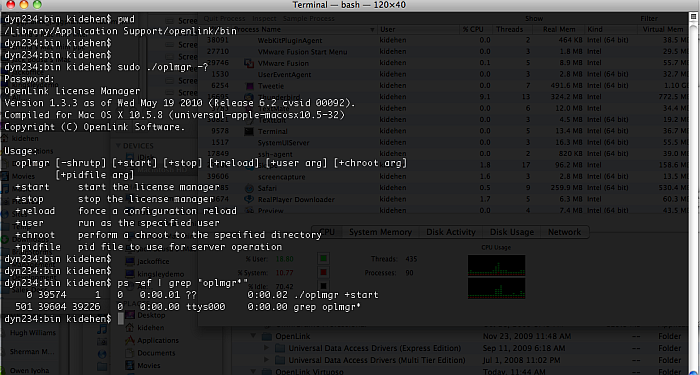
To stop, start, or reload (which updates licenses) use the following commands:
/Library/Application Support/openlink/bin/oplmgr +start | +stop | +reload
Figure 2.53. The .log file
![[Tip]](images/tip.png)
|
See Also: |
|---|---|