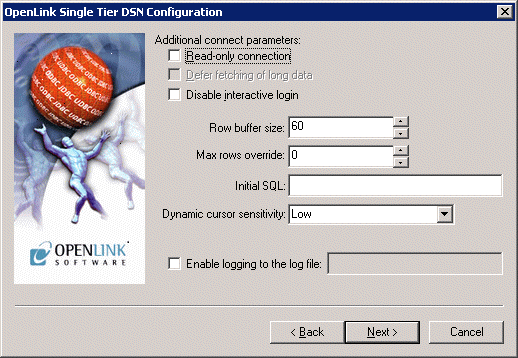
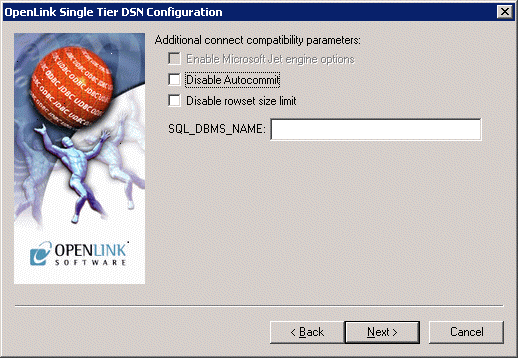
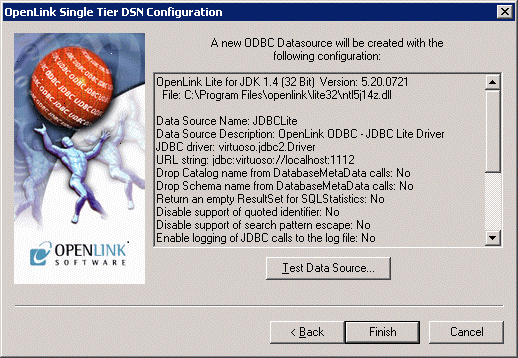
5.1.9.ODBC-JDBC Lite Bridges for Java
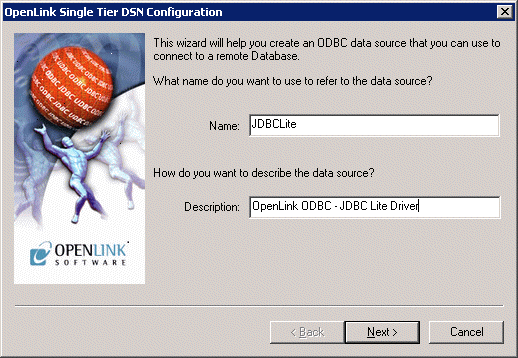
JDBC tab
Figure5.63.JDBC tab
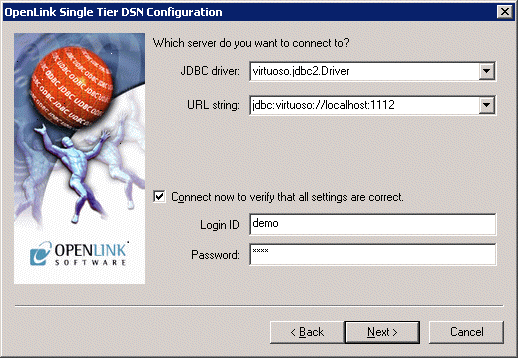
Enter details here for the JDBC Driver to connect with:
-
JDBC Driver. The name of the JDBC Driver to be used for the connection
-
URL String. The JDBC connectstring URL for the JDBC Driver
-
Login ID & Password. Enter the username and password to use for the connection here. If you check the `Connect now' box, pressing `Next>' will make a test connection to verify the above parameters.
JDBC Parameters
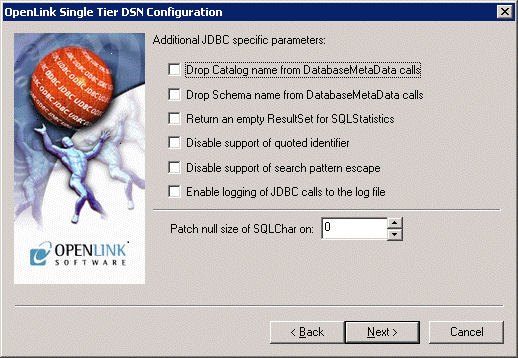
Figure5.64.JDBC Parameters tab
-
Drop Catalog name from DatabaseMetaData calls. Enable this option to have the catalog name not appear for tables, views and procedures when requesting database meta-data.
-
Drop Schema name from DatabaseMetaData calls. Enable this option to have the schema-name not appear for tables, views and procedures when requesting database meta-data.
-
Return an empty resultset for SQLStatistics. Check this box to have SQLStatistics() return an empty resultset - use this if the underlying database does not support retrieving statistics about a table (e.g. what indexes there are on it).
-
Disable support of quoted identifier. If it is set, the call SQLGetInfo for 'SQL_IDENTIFIER_QUOTE_CHAR' will return the space (" "). It can be used if DBMS doesn't support quoted SQL like select * from "account"
-
Disable support of search pattern escape. If it is set, the call SQLGetInfo for 'SQL_LIKE_ESCAPE_CLAUSE' will return the space (" "). It can be used if DBMS doesn't support SQL escape patterns